Stellio Player

The leader among players.
Highest quality sound and,
aesthetically pleasing interface

Without VK Musicv7.7.1. apkSize: 44.2 MBWith VK Music

14.99 USD

Why Stellio?

Stellio — advanced Player, with powerful sound, aesthetic themes, a lot of audio settings and VKontakte Music integration.

Player

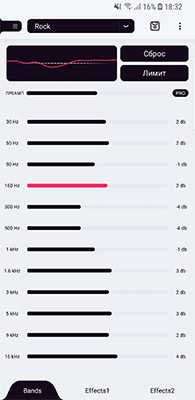
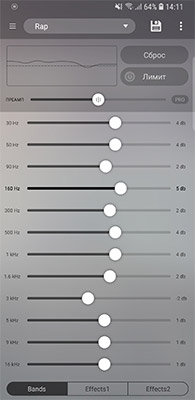
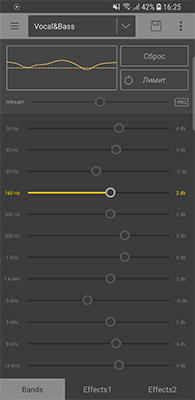
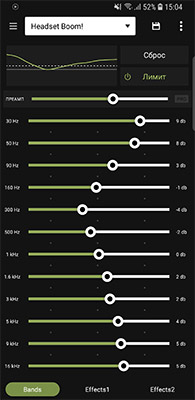
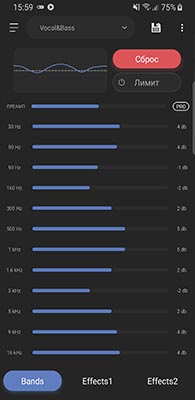
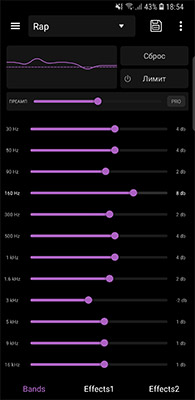
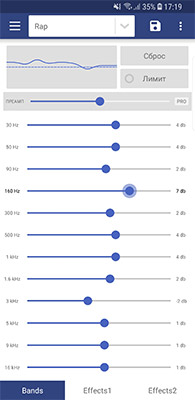
The main goal was to get highest quality sound. For it we have powerful audio engine which controls 12-bands equalizer with big variety of sound effects

VK Music

Cache and listen to your
favorite music without
time limits.

Themes

Professional approach to
appearance.

Characteristics of the player

Stellio has 12 equalizer with big variety of audio effects, which gives complete freedom for experementations, using it manually or by presets.

Crossfade makes sound more pleasing — smooth switch from one song to another. Gapless is the opposite, playback of tracks without the smallest gaps between.

In addition to powerful settings, there're a lot of different useful abilities in the player:
Lyrics

View lyrics from internet with offline access after

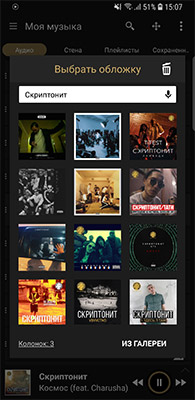
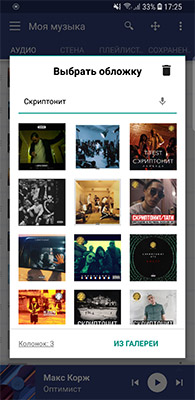
Choose
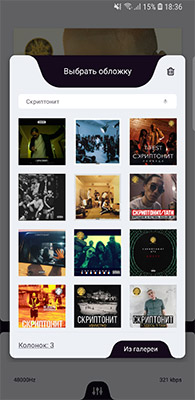
a cover

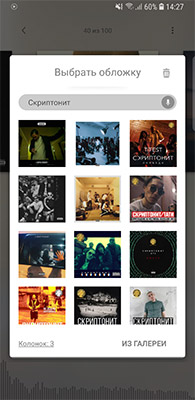
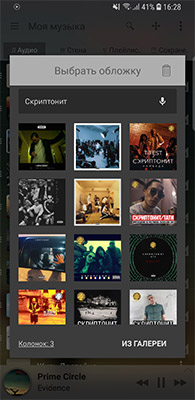
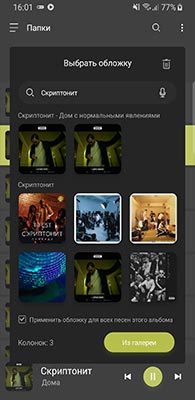
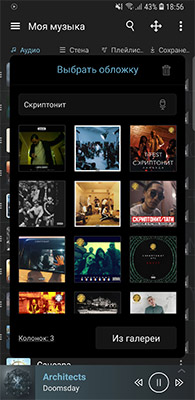
Use convenient search of covers from internet or trust it for the player

Edit
tags

Put names in order with help of the handy tag editor

Music
categories

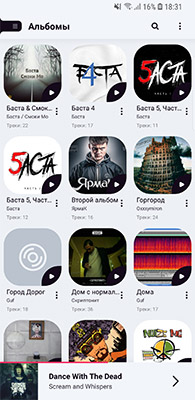
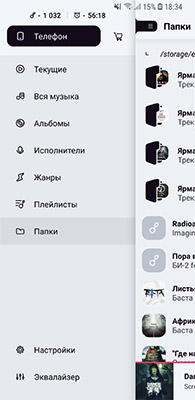
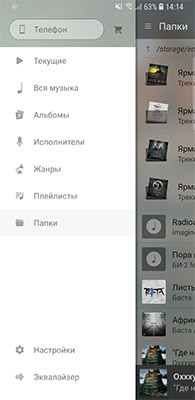
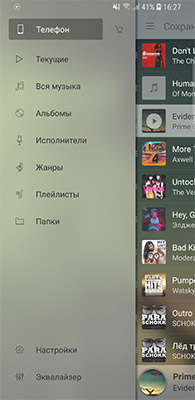
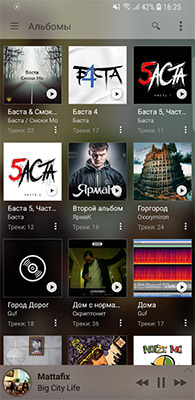
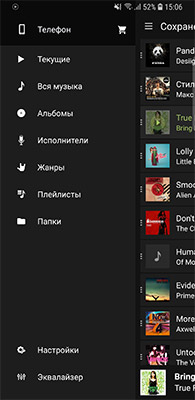
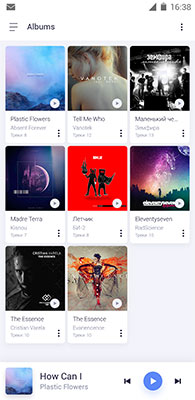
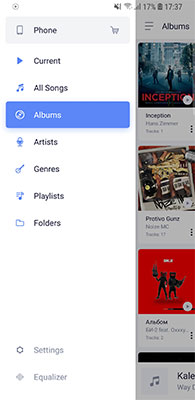
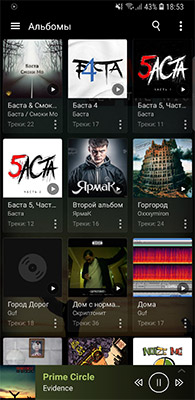
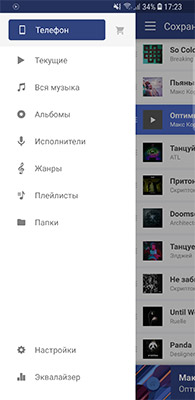
Play music by Albums, Artists, Genres or Folders

A lot of
audio formats

In addition to popular audio formats, FLAC, MP3, CUE, APE, M4A and others are supported.

Android Wear
Extension

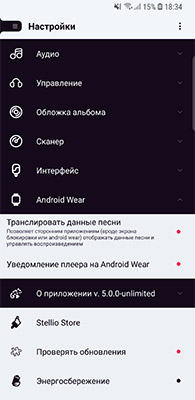
Control music from your watches, pick a track, all without taking a phone out of a pocket!

The best
sound

Playback of music in high resolution

Sleep
timer

Set sleep timer for certain amount of tracks or minutes

Settings

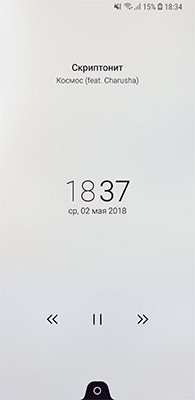
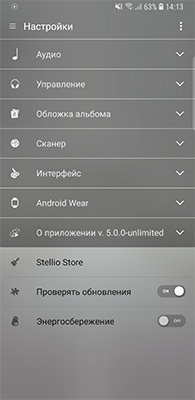
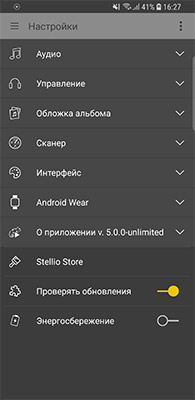
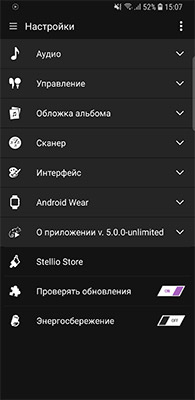
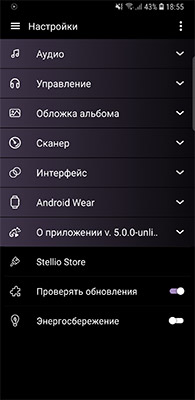
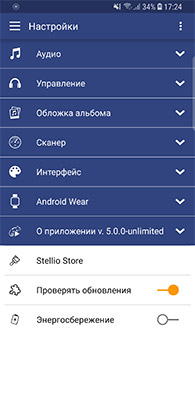
Huge amount of settings, like list animation or lock screen

Widgets and
notifications

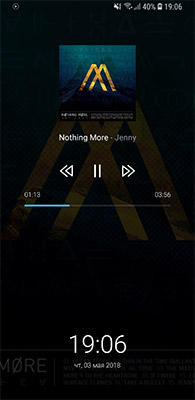
Change appearance of widgets and notifications

Convenient
control

Switch track with help of a headset, shake the phone or by volume buttons

VKontakte Music

Stellio is one of the best music players for the social network VKontakte. All music collection is available again without any restrictions.

With Stellio you will get simple and fast access to your audios. Enjoy your favorite tracks, new tracks and personal recommendations!

Possibilities with gives Stellio Music:
  • Save music for offline listening
  • Create playlists
  • Wide music collection
  • Convenient and functional player with an equalizer
  • Albums of artists and author's collections, which can be found in official groups of artists
  • Personal recommendations
  • Extended search
  • Collection of music of your friends and communities
  • Broadcast music to status of your profile

Download the .APK from our site for VK integration:

Themes

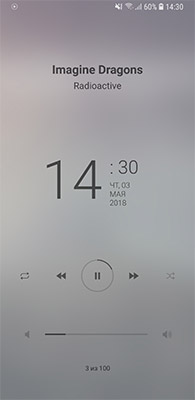
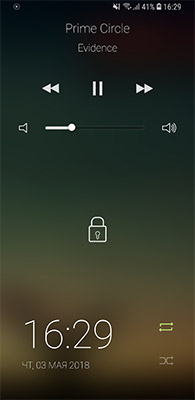
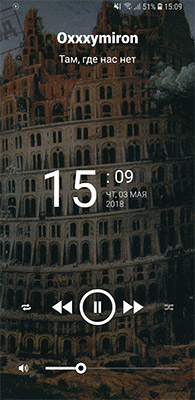
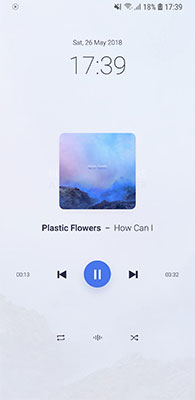
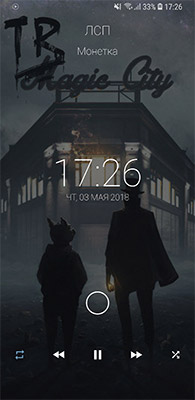
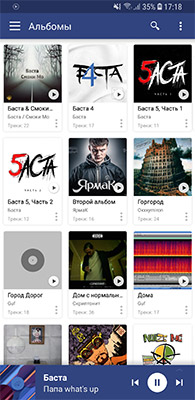
The power of the player is packed in the most convenient interface. We pay special attention to design — every detail is well thought through. Out unique feature is changing color of elements to match the cover of a track for deeper immersion in music atmosphere. Exactly because of it the chameleon is on the icon of Stellio.

For those want more than standard appearance, there's ability to pick different interface among additional themes, which not simple change color, but completely reincarnate appearance of the player!
/img/themes/thegrand/en/1.jpg,/img/themes/thegrand/en/2.jpg,/img/themes/thegrand/en/3.jpg,/img/themes/thegrand/en/4.jpg,/img/themes/thegrand/en/5.jpg,/img/themes/thegrand/en/6.jpg,/img/themes/thegrand/en/7.jpg

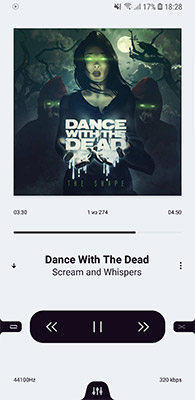
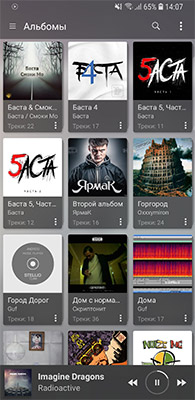
TheGrand

Theme in gorgeous snow tones for Stellio Player with a counter of listened tracks


Features:
– Counter of listened time
– Counter of listened tracks
– Switching tracks from the list with a swipe
/img/themes/exoblur/en/1.jpg,/img/themes/exoblur/en/2.jpg,/img/themes/exoblur/en/3.jpg,/img/themes/exoblur/en/4.jpg,/img/themes/exoblur/en/5.jpg,/img/themes/exoblur/en/6.jpg,/img/themes/exoblur/en/7.jpg

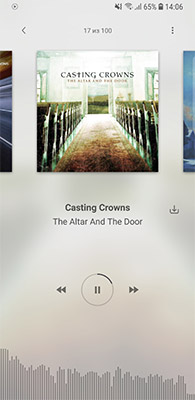
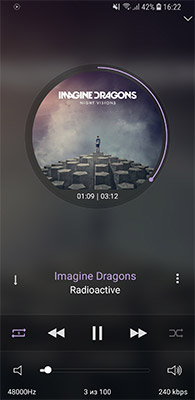
ExoBlur

Premium Theme with graceful visualizer on the main screen and elegant blur


Features:
– Visualizer on the main screen
– Progress bar around the button play/pause in list
/img/themes/flat/en/1.jpg,/img/themes/flat/en/2.jpg,/img/themes/flat/en/3.jpg,/img/themes/flat/en/4.jpg,/img/themes/flat/en/5.jpg,/img/themes/flat/en/6.jpg,/img/themes/flat/en/7.jpg

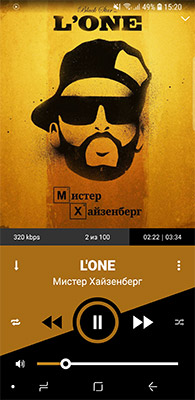
Flat

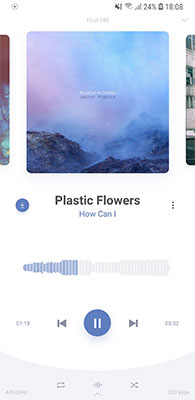
Paid theme for Stellio Player in the Flat Style


The theme is based on idea of a transparency — commonly player uses conjunction of black and white with different opacity. An innovation in the interface — rounded progress line. Volume control is on main screen for maximum usability.
/img/themes/redline/en/1.jpg,/img/themes/redline/en/2.jpg,/img/themes/redline/en/3.jpg,/img/themes/redline/en/4.jpg,/img/themes/redline/en/5.jpg,/img/themes/redline/en/6.jpg,/img/themes/redline/en/7.jpg

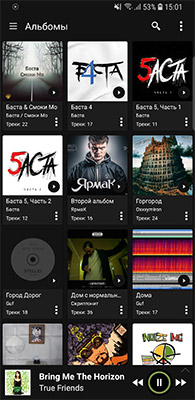
Redline

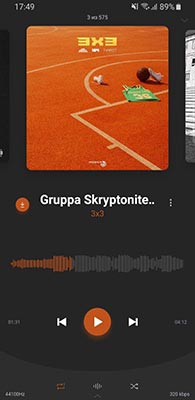
Premium theme in dark tones for Stellio Player Available only for licensed version


New list animation "Redline Scale"
Elegant design geometry
Dark color palette for a comfortable eyes perception
/img/themes/jfrost/en/1.jpg,/img/themes/jfrost/en/2.jpg,/img/themes/jfrost/en/3.jpg,/img/themes/jfrost/en/4.jpg,/img/themes/jfrost/en/5.jpg,/img/themes/jfrost/en/6.jpg,/img/themes/jfrost/en/7.jpg

jFrost

Standard Stellio theme


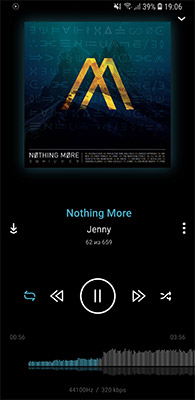
Elegant interface
Waveform progress bar on the main screen
/img/themes/classic/en/1.jpg,/img/themes/classic/en/2.jpg,/img/themes/classic/en/3.jpg,/img/themes/classic/en/4.jpg,/img/themes/classic/en/5.jpg,/img/themes/classic/en/6.jpg,/img/themes/classic/en/7.jpg

Classic

One of the best themes with real Waveform progress bar on the main screen
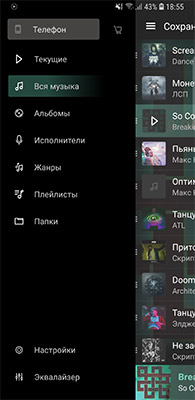

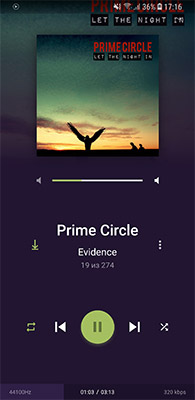
First on one of the best dark themes. Progress bar on the main screen is made in form of a Waveform. Which is very convenient for orientation in a track, you can see: intro, hook, verse, etc.
/img/themes/material/en/1.jpg,/img/themes/material/en/2.jpg,/img/themes/material/en/3.jpg,/img/themes/material/en/4.jpg,/img/themes/material/en/5.jpg,/img/themes/material/en/6.jpg,/img/themes/material/en/7.jpg

Material

Theme in the style of Android Lollipop OS (Android 5.0) from Google


Buy Stellio All inclusive

Code activates like in-app purchase Google Play.

What's included

  • Remove ads
    Get rid of all ads: banner in the list, fullscreen banner and other
  • jBlack Theme
    An additional theme with the option to change the white according to system night mode
  • RedLine Theme
    Also you get RedLine premium theme in dark tones
  • 5 additional themes and learn more..
After purchase a letter will be sent to your email with the code, also will be shown instruction for activation.

If you have any questions or problems, write us stellio.play@gmail.com — we’ll do our best to help.

FAQ

Here we collected the most popular questions and answers

Purchase
I bought a code on the website and can't activate it

Please use stellio.ru/upd_key to resend the email with your code or to rebind the code to another device.

I bought on Google Play and can't activate

Log in to your Google Play account on this device and reopen Stellio: the purchase is applied automatically.

Still not active?

  1. Check that Play Store uses the same Google account you paid with (Play Store → your profile picture).
  2. Check you are online and the Play Store app is up to date.
  3. Clear the Play Store cache: Settings → Apps → Google Play Store → Storage → Clear cache.
  4. Find the order in Play Store → profile picture → Payments & subscriptions → Budget & history. No order there? It was paid from another Google account.
  5. Close Stellio completely, wait a few minutes and open it again.

Apps like Lucky Patcher can block the licence check. Nothing helped? Write to us with the order number (starts with GPA.).

How to activate Stellio Premium on my other devices?

If you bought in-app via Google Play:

  1. Log in Google Play with account where you bought Premium.
  2. Close and open the player. It will be activated automatically

If you have an activation code:

  1. Settings => About => Bind code.
  2. Open the player on another device and in the purchase dialog click on Have bound code?
How to get an activation code for Stellio Player?

Buy Stellio on Google Play, then write to stellio.play@gmail.com with the order number (starts with GPA.): we'll send you an activation code to enter in the player. Can't buy on Google Play? Write to stellio.play@gmail.com as well.

Playback
How to use 3-rd party equalizers with Stellio?
  1. Disable the equalizer in Stellio — Equalizer=>Menu=>Disable
  2. If it does not help — kill and open Stellio or reboot the phone
  • Enable compatible mode if you use ViPER4Android (ViperFX)
Music skips, hiccups, stutters

Audio skipping is a complex issue, it can be generated by many factors:

  • SD card issues (try to play same file in stock player, if it happens there as well — that's it). Can happen also if many songs/images/movies recently uploaded to the phone (stock system scanner one some devices is slow and takes a lot of SD card bandwidth)
  • Bluetooth issues. This usually affects any player on the device. Try to Unpair, then Pair BT device again
  • HTC Sense 4.0+Beats ROMs produces skips. Try to disable beats for Stellio
  • additional 3rd party audio effects. Try to temporarily disable additional audio effects and check if it helps
  • some cpu hungry apps (free app like OSMonitor can show total and per process cpu consumption and find offending app/service)
  • some broken formats (if skipping happens for the same songs, always, and doesn't happen for others)

You can increase audio buffer in order to prevent stuttering via Settings => Audio => Audio buffer size

Music stops when locking a screen

Check:

  • If your device has "White list of apps" then try to add the player there.
  • Check permission for background activity.
  • Try to disable player's equalizer (Equalizer — Context menu Three dots at the right top corner — Disable).

Some phone makers (Samsung, Xiaomi, Huawei, OnePlus and others) close apps running in the background to save battery, so Stellio stops after a while.

To stop it:

  • Tap the button below to open the battery settings.
  • Pick Stellio and let it run in the background: choose "Unrestricted" (Samsung: remove it from "Sleeping apps" and "Deep sleeping apps").
Other
Which permissions has the player and why?
  • READ_PHONE_STATE — Set pause on call and resume playback on call end.
  • WRITE_EXTERNAL_STORAGE — Save covers, cache tracks, delete tracks, edit tags.
  • INTERNET — Access to network. To be able to download covers, view lyrics and do all actions with VKontakte.
  • ACCESS_NETWORK_STATE — Check whether or not internet is available.
  • WRITE_SETTINGS — To be able to set a track as ringtone.
  • ACCESS_WIFI_STATE — To check whether or not download cover art. Need only if you enable "Only via WiFi".
  • RECEIVE_BOOT_COMPLETED — To start background service to be able to listen headset events. Need only if you enable "Start playing on headset is plugged" or "Start playing on bluetooth headset is plugged".
How to move cache on a sdcard?
  1. Move your cache to the folder you need using a file manager
  2. Change path to the folder with cache in the player: Settings — VKontakte — Folder for cached tracks
  3. Settings — VKontakte — Import cache
Why I am online from a computer when I use Stellio?

Unfortunately, since there's no official API for music from VKontakte, we use "not standard" methods, side effect of which is online.

If you still want to be offline, try to avoid: My music, Friend's and Group's audios and Recommendations.

What's new

What changed in each version of Stellio Player

v7.7.112 Nov 2026

Fixes from your feedback

A small update with fixes and polish.

  • Bit-perfect and DSD (DoP) playback now works on more USB DACs.
  • Crossfade settings are back in Audio, right under Gapless.
  • The visualizer fills the whole screen in landscape.
  • VK: search results get a Show all button, and "All" starts with the tracks already shown.
  • VK: the search bar no longer disappears when you open search again.
  • Sheets open and close more smoothly.
v7.7.07 Nov 2026

Sound quality and stability

In this update we keep working on audio quality and stability. Thanks for your valuable feedback!

  • New Hi-Res audio settings. With high-quality headphones the player now uses their full power.
  • Equalizer presets for your headphones now work: they correct your model's sound toward a neutral standard.
  • The star icon is gone from the mini player bar, back to how it was. Favourites are still in the context menu.
  • Better limiter quality, and you can now change its advanced settings. Still, for the cleanest sound I suggest DVC.
v7.6.02 Nov 2026

A new Help and What's new

The FAQ is now a full screen you can search, with short answers and pictures instead of walls of text. Open it from Settings > Contact us.

  • Search finds a question in a second.
  • Each answer is split into short steps.
  • Can't find yours? Email and chat links are at the bottom.

After every update this screen tells you what changed. You can open it again any time from Settings > About.

v7.5.128 Oct 2026

Tags, equalizer and VK

  • The tag editor lists fields in a table with labels, and the file name in the header can be changed.
  • Tap the format chip in the equalizer to see the audio path from file to output device.
  • VK: My music has Tracks, Playlists and Albums tabs, and friend and group pages open on Audio, Wall and Playlists.
  • VK no longer wakes the app 60 times a second in the background, which saves battery.

Contacts

Email

stellio.play@gmail.com

Social networks

Describe your issue or question — we’ll do our best to help

stellio.play@gmail.com
PurchasePrice
Sale:
Total:
Empty basket
PurchaseSaleTotal
To pay
If you have clicked on the button and nothing happened, then the most probably
that you don't have installed Stellio Player.

Download and after the links will work:

Without VK Musicv7.7.1. apkSize: 44.2 MBWith VK Music

The window will be closed after: 10